Affiliate disclosure: TeckAtlas is reader-supported. If you buy through links on this page, we may earn a commission at no extra cost to you. Learn more.
Last updated: 16 October 2026. Prices change often, so always check the current price before you buy.
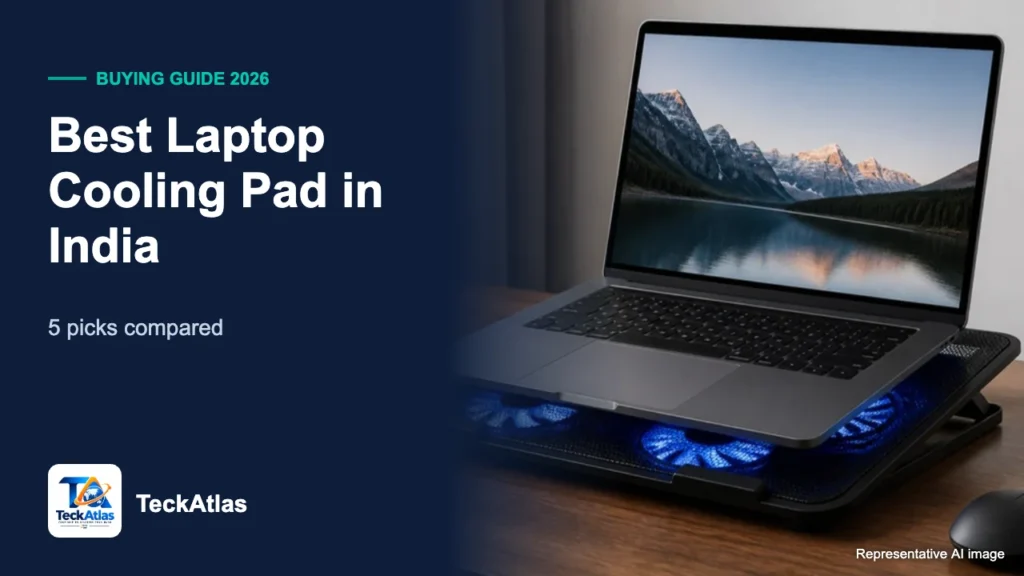
Looking for the best laptop cooling pad in India? Laptops pack hot chips into thin bodies, and in Indian summers they can heat up, slow down and get uncomfortable to type on. A cooling pad lifts the laptop and blows extra air at its base to help it run cooler.
We compared five laptop cooling pad models on Amazon India, from a ₹474 dual-fan pad to a ₹1,699 RGB cooler for laptops up to 19 inches. We have not tested them hands-on. Our picks are based on the maker’s listed specs, price and buyer ratings.
Table of Contents
Best laptop cooling pad: our picks at a glance
Here are all five picks for the best laptop cooling pad, side by side. Every link goes to Amazon India.
| Product | Best for | Price* | Buy |
|---|---|---|---|
| Zebronics NC3300 | light office and study use | ₹474 | Check on Amazon |
| Lapcare Chillmate | comfortable typing angles | ₹529 | Check on Amazon |
| Zebronics NC5500D | office laptops that run warm | ₹699 | Check on Amazon |
| Kreo Tundra | gaming and heavy workloads | ₹1,349 | Check on Amazon |
| Zebronics NC9200 | 17 to 19-inch gaming laptops | ₹1,699 | Check on Amazon |
*Price as listed on Amazon India on 16 October 2026. It can change at any time.
How we chose these laptop cooling pads
We looked for every laptop cooling pad on Amazon India from a known brand with clearly listed fans and laptop size support. We then compared fan size and count, height adjustment, extras such as USB pass-through and phone holders, and buyer ratings, and kept a mix of budget, office and gaming options.
Prices and ratings were noted on 16 October 2026 and will change, so treat them as a guide.
1. Zebronics NC3300: best budget pick

Key specs: Dual fans / USB powered / dual USB ports / blue LED lights
Why we picked it: The Zebronics NC3300 is the cheapest laptop cooling pad in our list and the most reviewed, with about 12,100 ratings and a 3.9 average. It runs off a USB port with two fans and passes through a second USB port so you do not lose one.
Pros
- Lowest price here
- Huge number of ratings
- Dual USB ports
- Light and slim
Cons
- No height adjustment listed
- Basic cooling for gaming laptops
2. Lapcare Chillmate: best value

Key specs: Dual 125 mm fans / silent operation / dual USB ports / 5-step stand / removable mobile holder
Why we picked it: The Lapcare Chillmate adds a 5-step height stand and a removable phone holder for barely more than the NC3300. Two large 125 mm fans move air quietly, and it has a 4.0 rating from about 8,700 buyers.
Pros
- 5-step height adjustment
- Large 125 mm fans
- Phone holder included
- Great value
Cons
- No fan speed control listed
- Plastic build
3. Zebronics NC5500D: best for fan control

Key specs: Dual 125 mm fans / adjustable fan speed with display / 5-step stand / mobile holder
Why we picked it: The Zebronics NC5500D builds on the Lapcare design with adjustable fan speed and a small display, so you can run it quietly for work and faster when the laptop is busy. It has a 4.0 rating from about 2,800 buyers.
Pros
- Adjustable fan speed
- Display for settings
- 5-step stand
- Phone holder
Cons
- Still two fans
- Bulkier to carry
4. Kreo Tundra: best for gaming laptops

Key specs: 5 adjustable fans / LCD display / 5 height angles / 10 RGB modes / under 21 dBA / dual USB
Why we picked it: The Kreo Tundra uses five fans to cover more of the laptop base, which suits gaming laptops with vents across the bottom. It has an LCD display, five height angles and RGB lighting, and Kreo lists it at under 21 dBA. It has a 4.1 rating, the highest here, from about 810 buyers.
Pros
- Highest rating in our list
- Five fans
- Quiet under 21 dBA
- RGB and LCD display
Cons
- Pricier than office pads
- RGB not everyone needs
5. Zebronics NC9200: best for big laptops

Key specs: 140 mm RGB LED fan / up to 19-inch laptops / dual USB / fan speed controller / magnetic foam cushioning / detachable mobile holder
Why we picked it: The Zebronics NC9200 supports laptops up to 19 inches and uses a large 140 mm RGB fan with a speed controller. Magnetic foam cushioning helps keep the laptop in place. It has a 3.9 rating from about 1,800 buyers.
Pros
- Fits up to 19-inch laptops
- Big 140 mm fan
- Speed controller
- Detachable phone holder
Cons
- Most expensive pick
- Single main fan
How to choose a laptop cooling pad
Match the pad to your laptop size and vents. Check where your laptop pulls in air, usually on the bottom, and choose a pad whose fans sit under those vents. Gaming laptops benefit from more or bigger fans.
Height adjustment is a bonus. A raised angle improves airflow and typing comfort, though for long desk sessions a proper stand is better for your neck. You can read more about computer cooling and why heat slows laptops down.
For a desk setup, combine a cooling pad or stand with an external keyboard; see our best laptop stands and best wireless keyboard and mouse combo guides.
Our final word
The Lapcare Chillmate is our pick of laptop cooling pad for most office and student laptops, with big fans and a height stand at a low price. The Zebronics NC3300 is the cheapest decent option, and the Kreo Tundra is the one to get for gaming laptops.
Prices and stock change quickly, so check the current price on Amazon before you buy any laptop cooling pad.
Frequently asked questions
Does a laptop cooling pad really work?
It usually lowers temperatures by a few degrees, especially on laptops with bottom air vents. It helps most when the laptop sits on a bed or flat desk with little airflow.
Can a cooling pad damage my laptop?
No. It only blows air and draws a small amount of power from a USB port. Keep it clean so it does not push dust into the vents.
Is a cooling pad good for gaming laptops?
Yes. Gaming laptops run hot, and a pad with several fans or a large fan can help them hold performance for longer.
Should I use a cooling pad on a bed?
It is better than putting the laptop directly on a bed or blanket, which blocks the vents. A hard surface is still best.