Buying a laptop in India in 2026 is confusing. Prices have risen because memory chips cost more, processor names have changed (Core 5, Core Ultra 5, Ryzen 5 7520U, Snapdragon X), and every listing claims to be “perfect for students”. This guide explains how to choose a laptop step by step, in plain language, so you can match the specs to what you actually do and avoid paying for things you will not use.
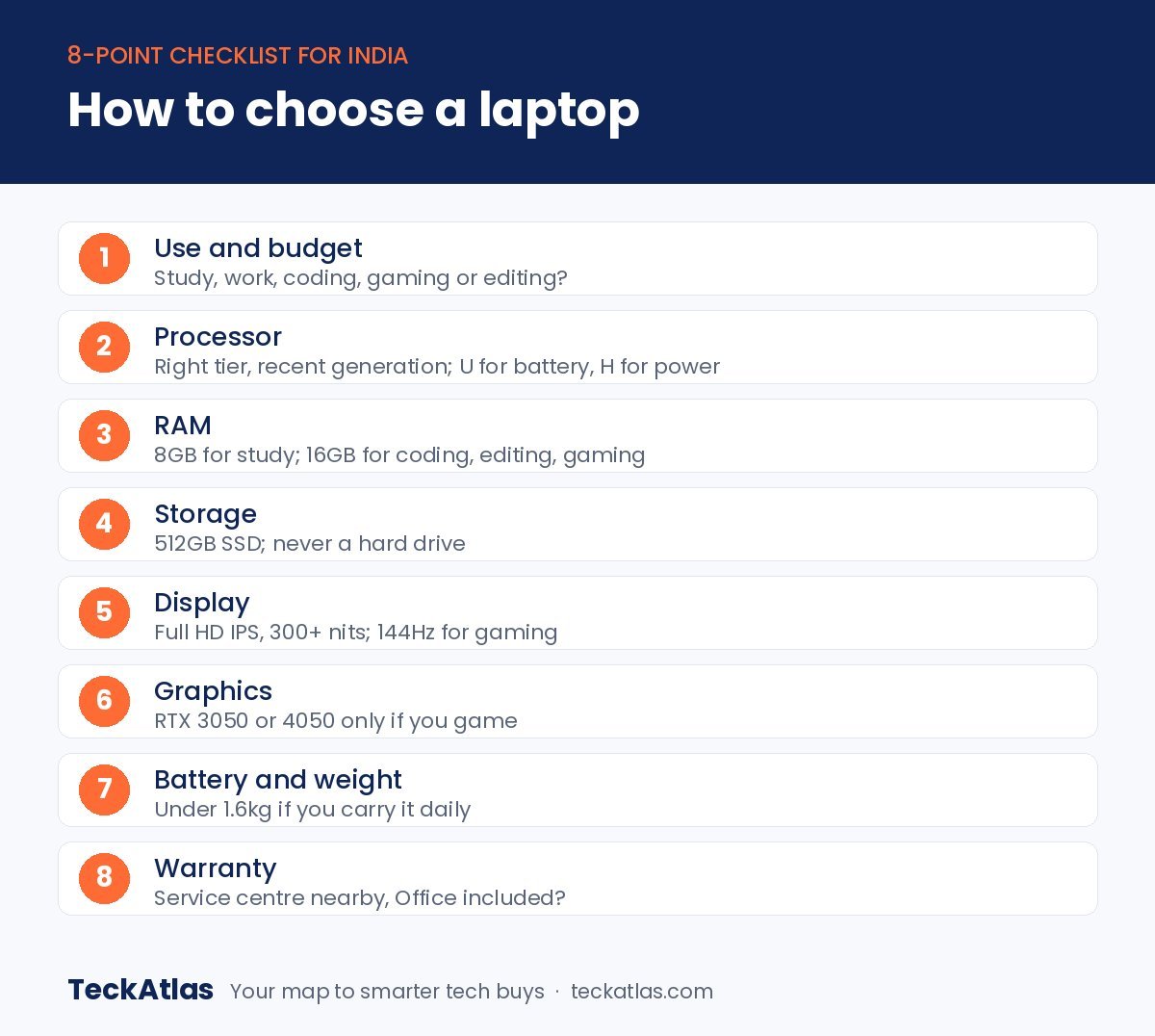
Quick answer: To choose a laptop, decide what you will use it for, then check five things: a processor from the right tier, at least 8GB RAM (16GB for coding, editing or gaming), a 512GB SSD, a Full HD screen with at least 300 nits brightness, and battery life and weight that suit how often you carry it. Gamers also need a dedicated graphics card such as an RTX 3050 or RTX 4050.
We have not tested every laptop mentioned here. This laptop buying guide is based on official specifications and what Indian buyers search for most. The Amazon Great Indian Festival starts on 8 October 2026, so knowing how to choose a laptop before the sale will help you spot a real deal.
Step 1: Decide what you will use it for
The single most important step when you choose a laptop is being honest about how you will use it. A laptop for online classes and Office does not need the power of a gaming laptop, and paying for that power also means more weight and less battery life.
| Use | Processor | RAM | Typical price in 2026 |
|---|---|---|---|
| Online classes, Office, browsing | Core i3, Ryzen 3 or better | 8GB | ₹40,000–₹50,000 |
| College, coding, multitasking | Core i5, Ryzen 5 (H-series ideal) | 16GB | ₹60,000–₹75,000 |
| Long battery life, travel | Snapdragon X or Apple chip | 16GB (8GB on Mac) | ₹69,000–₹80,000 |
| Gaming | Core i5/Ryzen 7 + RTX 3050/4050 | 16GB+ | ₹85,000–₹1.2 lakh |
| Video editing, design | Core i7/Ryzen 7 + RTX graphics | 16–32GB | ₹1 lakh and above |
Step 2: Understand processor names
The processor decides how fast the laptop feels, so it is the spec to understand first when you choose a laptop. Intel and AMD both use 3, 5 and 7 tiers, which roughly match each other: Core i3 or Core 3 with Ryzen 3, Core i5 or Core 5 with Ryzen 5, and Core i7 or Core 7 with Ryzen 7. Intel’s newer Core Ultra chips add AI features and better efficiency.
- Check the generation, not just the tier. A newer Core i3 can be faster than an old Core i5.
- U vs H: a “U” at the end (Core i5-1334U, Ryzen 5 7520U) means a low-power chip for thin laptops and longer battery. An “H” or “HS” (Core i5-13420H, Ryzen 7 8845HS) means a more powerful chip for coding, editing and gaming.
- AMD’s numbers can mislead: the Ryzen 5 7520U, for example, uses an older design with four cores. It is fine for everyday work, but slower than its name suggests.
- Snapdragon X and Apple chips use Arm designs that are very efficient, giving long battery life. Some older Windows apps may not run on Snapdragon, so check your software first.
Our explainer on Intel i5 vs Ryzen 5 goes deeper into which processor to choose.
Step 3: How much RAM and storage?
- 8GB RAM: enough for Office, browsing, online classes and streaming.
- 16GB RAM: the right choice for coding, engineering software, heavy multitasking, editing and gaming.
- Soldered vs upgradeable: many thin laptops have RAM that cannot be upgraded later. If you plan to keep the laptop for years, choose 16GB now or pick a laptop with an empty RAM slot.
- Storage: always choose an SSD. 512GB is the sweet spot; 256GB fills up quickly. Gamers should consider 1TB or a laptop with a spare SSD slot.
Step 4: Choose the right screen
When you choose a laptop, the screen is what you look at for hours, so it is worth getting right.
- Resolution: Full HD (1920 x 1080) is the minimum. Avoid HD (1366 x 768) screens.
- Brightness: 300 nits or more is comfortable indoors; budget laptops at 250 nits can look dim.
- Panel type: IPS panels have better colours and viewing angles than TN panels. OLED screens look stunning but cost more.
- Size: 14-inch laptops are easier to carry; 15.6 or 16-inch screens are better for work and movies. A 16:10 screen shows more of a document than 16:9.
- Refresh rate: gamers should look for 120Hz or 144Hz.
Step 5: Graphics: do you need a dedicated GPU?
When you choose a laptop, remember that most laptops use integrated graphics built into the processor, which is fine for everything except gaming and serious editing. If you game, you need a dedicated NVIDIA or AMD graphics card. In 2026, an RTX 3050 handles esports titles and older games well, while an RTX 4050 is the better choice for new AAA games. Check NVIDIA’s official laptop GPU pages to compare features such as DLSS. See our list of the best gaming laptops.
Step 6: Battery life, weight and build
If you carry your laptop to college or work every day, battery and weight matter as much as speed when you choose a laptop. Laptops under 1.6kg are easy to carry; gaming laptops often weigh over 2kg. Snapdragon and Apple laptops generally last longest on battery, while H-series Intel and AMD laptops and gaming laptops drain faster. Also check for USB-C charging, which lets you use one charger for your phone and laptop.
Step 7: Ports, software and warranty
- Check ports: USB-C, USB-A, HDMI and a headphone jack cover most needs.
- Look for Windows 11 and Microsoft Office included; buying Office separately costs extra.
- Prefer brands with service centres near you, and check whether accidental damage protection is offered.
- A backlit keyboard helps when working at night.
How to choose a laptop for students, gamers and professionals
- School students: a budget Windows laptop or Chromebook with 8GB RAM.
- Engineering and coding students: Core i5 or Ryzen 5 H-series with 16GB RAM. See our best laptops for students.
- Office work on a budget: see our best laptops under ₹50,000.
- Gamers: an RTX 4050 laptop with 16GB RAM and a 144Hz screen.
Mistakes to avoid when you choose a laptop
- Buying an old-generation Core i5 because the name sounds powerful.
- Choosing 8GB of soldered RAM for a laptop you want to use for four or five years.
- Ignoring screen brightness and resolution.
- Trusting inflated “M.R.P.” discounts in sales. See our guide on how to spot a genuine deal.
Your quick checklist: how to choose a laptop
- Use case decided, with a budget and some room for sale offers.
- Processor from the right tier and a recent generation.
- 8GB RAM minimum; 16GB for coding, editing or gaming.
- 512GB SSD.
- Full HD IPS screen with 300+ nits.
- Dedicated RTX graphics if you game.
- Weight and battery life that suit your day.
- Warranty and a nearby service centre.
Once you know how to choose a laptop, sale banners become much easier to judge, because you can see straight away whether a “deal” has the specs you need. During the sale, check our Great Indian Festival laptop deals page.
Frequently asked questions
How do I choose a laptop for my needs?
Start with how you will use it, then choose the processor tier, RAM and storage that match. Use the table at the top of this guide as a starting point.
Is 8GB RAM enough for a laptop in 2026?
For study, Office and browsing, yes. For coding, editing or gaming, choose 16GB.
Is Intel or AMD better for laptops?
Neither is always better. Compare the exact processor, its generation and whether it is a U-series or H-series chip.
Should I buy a Snapdragon laptop?
Snapdragon laptops have excellent battery life and run Office and browsers well. Check that any specialist software you need supports them.
What is a good laptop budget in India in 2026?
About ₹45,000–₹50,000 for basic study and office use, ₹65,000–₹75,000 for a capable 16GB laptop, and ₹90,000 or more for gaming.
When is the best time to buy a laptop?
Big sales such as the Amazon Great Indian Festival, which starts on 8 October 2026, usually bring the best prices.