Affiliate disclosure: TeckAtlas is reader-supported. If you buy through links on this page, we may earn a commission at no extra cost to you. Learn more.
Last updated: 11 October 2026. Prices change often, so always check the current price before you buy.
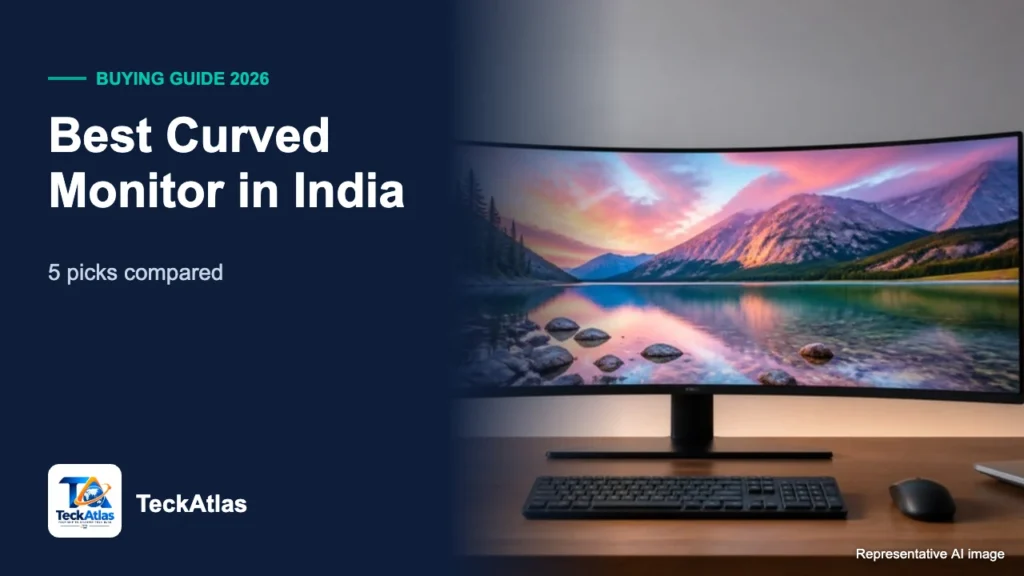
Looking for the best curved monitor in India? A curved monitor wraps the screen slightly around you, so the edges sit at a similar distance from your eyes as the centre. That makes big screens feel more immersive for games and films and a little easier on the eyes for long sessions.
We compared five curved monitor models on Amazon India, from a 27-inch Full HD office screen at ₹10,699 to a 32-inch QHD gaming display at ₹18,499. We have not tested them hands-on. Our picks are based on the maker’s listed specs, price and buyer ratings.
Table of Contents
Best curved monitor: our picks at a glance
Here are all five picks for the best curved monitor, side by side. Every link goes to Amazon India.
| Product | Best for | Price* | Buy |
|---|---|---|---|
| Samsung S3 27-inch Curved | work and streaming on a budget | ₹10,699 | Check on Amazon |
| Acer ED270U S3 27-inch | QHD gaming under ₹14,000 | ₹13,999 | Check on Amazon |
| LG 27GS60QC UltraGear 27-inch | immersive gaming | ₹14,999 | Check on Amazon |
| Samsung Odyssey G5 27-inch | Odyssey fans | ₹15,999 | Check on Amazon |
| LG 32GS60QC UltraGear 32-inch | a 32-inch curved display | ₹18,499 | Check on Amazon |
*Price as listed on Amazon India on 11 October 2026. It can change at any time.
How we chose these curved monitors
We looked for every curved monitor on Amazon India from a known brand with a clearly listed curvature, refresh rate and resolution. We then compared size, panel type, response time, extras such as HDR and ratings, and kept a mix of budget, gaming and large-screen options.
Prices and ratings were noted on 11 October 2026 and will change, so treat them as a guide.
1. Samsung S3 27-inch Curved: best budget pick
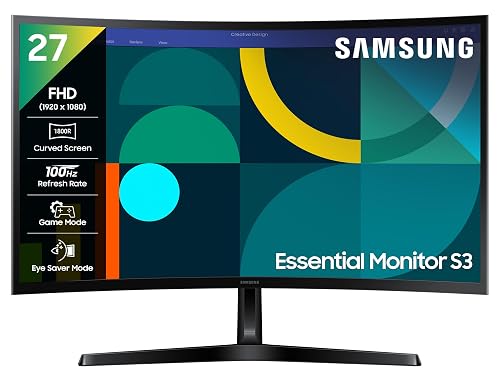
Key specs: 27-inch VA / FHD / 1800R / 100Hz / 4 ms / 95% sRGB / 250 nits
Why we picked it: The Samsung S3 is the cheapest curved monitor in our list and the only Full HD one, which keeps it easy to drive from any laptop. It runs at 100Hz with a gentle 1800R curve and has a 4.4 rating from about 270 buyers.
Pros
- Lowest price here
- Gentle 1800R curve suits office work
- 100Hz refresh
- Samsung brand
Cons
- Full HD looks softer at 27 inches
- 250 nits is modest
2. Acer ED270U S3 27-inch: best value QHD

Key specs: 27-inch VA / WQHD 2560×1440 / 1500R / 180Hz / 1 ms VRB
Why we picked it: Acer’s ED270U is the cheapest QHD curved monitor here and still runs at 180Hz with a 1 ms response. It has a 4.3 rating from about 220 buyers and a 1500R curve that suits both games and work.
Pros
- QHD at 180Hz for under ₹14,000
- 1 ms VRB response
- 1500R curve
- About 220 ratings
Cons
- VA panel colours are less accurate than IPS
- Stand is basic
3. LG 27GS60QC UltraGear 27-inch: best overall

Key specs: 27-inch VA / QHD / 1000R / 180Hz / 1 ms / 300 nits / UltraGear
Why we picked it: The LG 27GS60QC has a tight 1000R curve, the most immersive in our list, with QHD at 180Hz and 300 nits brightness. It has a 4.4 rating from about 180 buyers and LG’s UltraGear gaming features.
Pros
- Deep 1000R curve
- QHD at 180Hz with 1 ms
- 300 nits brightness
- UltraGear gaming modes
Cons
- 1000R can feel too curved for spreadsheets
- Costs more than the Acer
4. Samsung Odyssey G5 27-inch: best Samsung gaming pick

Key specs: 27-inch VA / QHD / 1000R / 165Hz / 300 nits / Odyssey G5
Why we picked it: Samsung’s Odyssey G5 is a well-known curved monitor line with a 1000R curve, QHD resolution and 165Hz. This model has a 4.3 rating from about 60 buyers and Samsung’s gaming picture modes.
Pros
- Odyssey design and 1000R curve
- QHD at 165Hz
- 300 nits
- Samsung service network
Cons
- Fewer ratings than the LG
- 165Hz is slightly below the 180Hz rivals
5. LG 32GS60QC UltraGear 32-inch: best big screen

Key specs: 32-inch VA / QHD / 1000R / 180Hz / 1 ms / UltraGear
Why we picked it: If you want a bigger curved monitor, the LG 32GS60QC gives you 32 inches of QHD at 180Hz with the same 1000R curve. It has a 4.1 rating from about 330 buyers.
Pros
- Largest screen here (32 inches)
- QHD at 180Hz with 1 ms
- 1000R curve fills your view
- About 330 ratings
Cons
- Most expensive pick
- 4.1 rating is the lowest here
- QHD at 32 inches is slightly less sharp
How to choose a curved monitor
Start with the curve. The number, such as 1000R or 1800R, is the radius in millimetres of the circle the screen follows. A lower number means a tighter curve. A 1000R curved monitor is very immersive for games, while 1500R or 1800R is gentler and better for office work and photo editing.
Next, pick size and resolution together. At 27 inches, QHD looks sharp; at 32 inches, QHD is still fine for games but 4K is sharper for text. Full HD at 27 inches is a budget choice for streaming and browsing. You can read more about computer monitors and their specs.
Finally, remember that most curved monitors use VA panels, which give deep contrast but slower response than IPS. If you need accurate colour for design work, a flat IPS screen may suit you better; see our best 27 inch QHD monitor guide. For fast flat screens, see our best 144Hz gaming monitor picks.
Our final word
The LG 27GS60QC is our pick of curved monitor for most gamers, with a deep 1000R curve, QHD and 180Hz. The Samsung S3 is the best budget buy for work and streaming, and the LG 32GS60QC is the one if you want a bigger screen.
Prices and stock change quickly, so check the current price on Amazon before you buy any curved monitor.
Frequently asked questions
Is a curved monitor good for work?
Yes, if the curve is gentle, such as 1500R or 1800R. Tighter 1000R curves can make straight lines in spreadsheets look slightly bent.
What does 1000R mean on a curved monitor?
It means the screen follows a circle with a 1,000 mm radius. The smaller the number, the tighter the curve.
Are curved monitors better for eyes?
A curved monitor keeps the screen edges at a more even distance from your eyes, which some people find more comfortable, but good brightness and flicker-free backlights matter more.
Can I use a curved monitor for photo editing?
You can, but most curved monitors use VA panels and gentle distortion at the edges, so a flat IPS monitor is usually better for colour-critical work.