Affiliate disclosure: TeckAtlas is reader-supported. If you buy through links on this page, we may earn a commission at no extra cost to you. Learn more.
Last updated: 11 October 2026. Prices change often, so always check the current price before you buy.
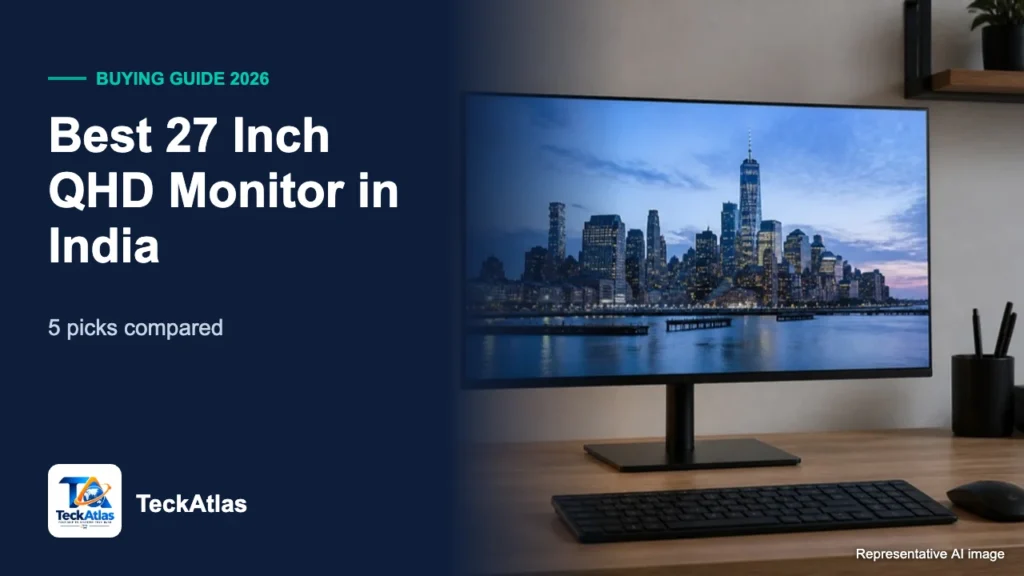
Looking for the best 27 inch QHD monitor in India? A 27 inch QHD monitor gives you 2560 x 1440 pixels, about 1.8 times the detail of Full HD, which makes text sharper for work and games more immersive without the cost of a 4K screen.
We compared five 27 inch QHD monitor models on Amazon India, all with IPS panels, priced from ₹12,799 to ₹17,747. We have not tested them hands-on. Our picks are based on the maker’s listed specs, price and buyer ratings.
Table of Contents
Best 27 inch QHD monitor: our picks at a glance
Here are all five picks for the best 27 inch QHD monitor, side by side. Every link goes to Amazon India.
| Product | Best for | Price* | Buy |
|---|---|---|---|
| Dell SE2726D 27-inch | most buyers | ₹12,799 | Check on Amazon |
| Lenovo LOQ 27Q-10 27-inch | high refresh gaming | ₹13,499 | Check on Amazon |
| LG 27U631A 27-inch | office and study | ₹13,899 | Check on Amazon |
| BenQ GW2790Q 27-inch | eye care at work | ₹14,888 | Check on Amazon |
| BenQ EW270Q 27-inch | laptop users | ₹17,747 | Check on Amazon |
*Price as listed on Amazon India on 11 October 2026. It can change at any time.
How we chose these 27 inch QHD monitors
We only included a 27 inch QHD monitor if it has an IPS panel and a native 2560 x 1440 resolution. We then compared refresh rate, colour coverage, brightness, USB-C support, ergonomics and buyer ratings, and kept the list to a mix of work-first and gaming-first screens.
Prices and ratings were noted on 11 October 2026 and will change, so treat them as a guide.
1. Dell SE2726D 27-inch: best overall

Key specs: 27-inch IPS / QHD / 144Hz / AMD FreeSync / 1500:1 contrast / Eye Comfort
Why we picked it: The Dell SE2726D is the cheapest 27 inch QHD monitor here and still runs at 144Hz, so it suits both work and gaming. It has the best rating in our list, 4.6 from about 190 buyers, and Dell’s eye-comfort features.
Pros
- Lowest price here
- 144Hz at QHD
- Highest rating (4.6)
- 1500:1 contrast for an IPS
Cons
- No USB-C
- Basic stand
2. Lenovo LOQ 27Q-10 27-inch: best for gaming

Key specs: 27-inch IPS / QHD / 180Hz / 0.5 ms MPRT / 99% sRGB / HDR10 / 300 nits
Why we picked it: Lenovo’s LOQ 27Q is the fastest 27 inch QHD monitor in our list at 180Hz with a 0.5 ms response, plus 99% sRGB and HDR10. It has a 4.4 rating, though from only about 60 buyers.
Pros
- 180Hz refresh rate
- 0.5 ms response time
- 99% sRGB and HDR10
- Anti-glare panel
Cons
- Few ratings so far
- Gaming look may not suit an office
3. LG 27U631A 27-inch: best for everyday work

Key specs: 27-inch IPS / QHD / 100Hz / 5 ms / HDR10 / 250 nits
Why we picked it: LG’s 27U631A is a simple 27 inch QHD monitor for documents, browsing and light media, with 100Hz and HDR10. It has a 4.2 rating from about 140 buyers and LG’s reader-friendly modes.
Pros
- 100Hz is smoother than 60Hz for daily use
- HDR10
- Known brand with wide service
- Simple, clean design
Cons
- 250 nits is the dimmest here
- 5 ms response is slow for fast games
4. BenQ GW2790Q 27-inch: most-rated pick

Key specs: 27-inch IPS / QHD / 100Hz / 99% sRGB / 350 nits / 1500:1 / Brightness Intelligence
Why we picked it: The BenQ GW2790Q is the most-rated 27 inch QHD monitor we found, with a 4.4 rating from about 840 buyers. BenQ’s eye-care features and 350 nits brightness make it a strong work screen.
Pros
- About 840 ratings
- 350 nits brightness
- 99% sRGB and 1500:1 contrast
- BenQ eye-care features
Cons
- 100Hz only
- Costs more than the Dell 144Hz
5. BenQ EW270Q 27-inch: best with USB-C

Key specs: 27-inch IPS / QHD / 200Hz / USB-C 65W / HDRi / 90% P3 / 350 nits
Why we picked it: The BenQ EW270Q is the only 27 inch QHD monitor here with a 65 W USB-C port, so one cable charges and drives a laptop. It also runs at 200Hz with HDRi and 90% P3 colour, and has a 4.4 rating from about 230 buyers.
Pros
- USB-C with 65 W charging
- 200Hz refresh rate
- 90% P3 colour and HDRi
- 350 nits
Cons
- Most expensive pick
- Overkill if you only need 100Hz
How to choose a 27 inch QHD monitor
Start with how you will use it. For documents and browsing, a 100Hz 27 inch QHD monitor with good brightness is enough. For gaming, look for 144Hz or more and a 1 ms response time. Check your graphics card can drive 2560 x 1440 in your games.
Next, check connectivity. If you use a laptop, a USB-C monitor with power delivery saves cables. Otherwise, make sure it has DisplayPort or HDMI 2.0 for high refresh rates at QHD. You can read more about the 1440p resolution.
Finally, think about ergonomics and eye care. A height-adjustable stand, flicker-free backlight and low blue light mode matter for long days. For a cheaper Full HD option, see our best monitors under ₹15,000 guide, or for fast gaming see our best 144Hz gaming monitor picks.
Our final word
The Dell SE2726D is our pick of 27 inch QHD monitor for most people, with 144Hz at the lowest price and the best rating. The BenQ EW270Q is the one for laptop users who want USB-C, and the Lenovo LOQ 27Q is the fastest for gaming.
Prices and stock change quickly, so check the current price on Amazon before you buy any 27 inch QHD monitor.
Frequently asked questions
Is QHD worth it over Full HD at 27 inches?
Yes. At 27 inches, Full HD looks soft and pixels are visible. A 27 inch QHD monitor keeps text and games sharp.
Can my laptop run a 27 inch QHD monitor?
Most laptops made in the last few years can. Check that your HDMI, DisplayPort or USB-C port supports 2560 x 1440.
Is 100Hz enough for a 27 inch QHD monitor?
For work and casual use, yes. For fast games, choose 144Hz or higher.
QHD or 4K at 27 inches?
QHD is cheaper, easier on your graphics card and still sharp at 27 inches. 4K makes more sense at 32 inches.